
Drink prime customer care number searches have a slightly unexpected answer. DrinkPrime’s published phone line, 080-6876-4787, is meant for new bookings and sales enquiries. If you already have a DrinkPrime purifier at home, support runs through the DrinkPrime app, live chat at drinkprime.in/support, and email at support@drinkprime.in. Tickets and emails can be raised at any hour, and chat agents are online from 8 am to 7 pm.
DrinkPrime is a Bengaluru company (registered as Waterwala Labs Pvt Ltd) that rents out smart, IoT-connected water purifiers on monthly subscription, with installation, servicing and filter changes included. The service now covers more than 1 lakh households across 11 cities. Because each purifier is linked to the app, most support starts there.
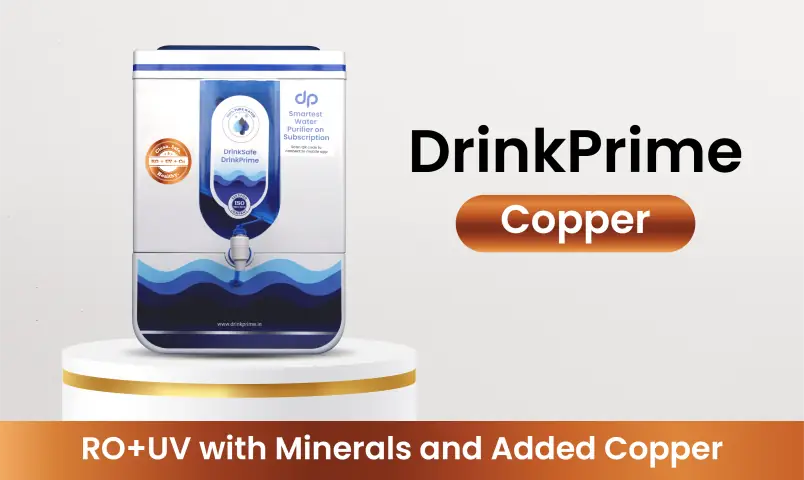
DrinkPrime Support Overview
| Detail | Information |
| Company | DrinkPrime (Waterwala Labs Pvt Ltd) |
| New connection / sales number | 080-6876-4787 |
| Existing customer support | DrinkPrime app (Help Desk section) |
| Live chat | drinkprime.in/support (8 am to 7 pm) |
| Support email | support@drinkprime.in (any time) |
| Escalations email | escalations@drinkprime.in |
| Escalations WhatsApp | +91 95133 74432 |
| Typical complaint resolution | Most issues within 24 hours, longer if a technician visit is needed |
| Office address | 2nd Floor, Chukki Complex, 9/A, 19th Main Road, Sector 3, HSR Layout, Bengaluru, Karnataka 560102 |
| Office hours | 10 am to 7 pm |
| Plans start at | ₹349 per month |
| Refundable security deposit | ₹1,500 |
| Minimum lock-in | 3 months |
| Free trial | 7 days, full refund if cancelled within the trial |
| Cities served | Bengaluru, Chennai, Delhi, Faridabad, Ghaziabad, Gurugram, Hyderabad, Kolkata, Mumbai, Noida, Pune |
| App | DrinkPrime (Android and iOS) |
| Website | drinkprime.in |
Why the Phone Line Is for Sales
It surprises people, but the design makes sense once you know how DrinkPrime works. Every purifier is registered to your account in the app, and the app already knows your device, plan, filter status and service history. A ticket raised there lands with the right team carrying all that context, so nobody has to ask for your address or Purifier ID.
Here’s the split:
| You Want To | Use |
| Book a new purifier or ask about plans | Call 080-6876-4787 |
| Report a fault, leak or bad taste | App Help Desk or live chat |
| Ask about billing, recharge or refund | Live chat or support@drinkprime.in |
| Move the purifier to a new address | Relocation request in the app |
| Cancel your subscription | App Help Desk, under Manage Subscription |
| Follow up on an unresolved ticket | escalations@drinkprime.in or WhatsApp +91 95133 74432 |
If you call the sales number with a service problem, the team will usually point you to the app or chat. Going there first saves a step.
Raising a Ticket in the DrinkPrime App
The app’s Help Desk is the fastest route for anything to do with your purifier:
- Open the DrinkPrime app.
- Go to the Help Desk
- Describe the issue and submit.
- Note the ticket tracking ID you receive.
Write the ticket ID down somewhere outside the app, too. If you need to follow up on WhatsApp or by email, it’s the first thing the escalation team asks for, along with your Purifier ID.
A good ticket description is short and specific. “Water flow very slow since Monday, purifier display normal” gets triaged faster than “purifier not working”.
Quick Checks Before You Raise a Ticket
DrinkPrime lists the most common reasons a purifier stops working. A few of them take only a minute to rule out:
- Power: a loose plug, a switched-off socket, or a power cut in your building
- Water supply: the inlet valve closed by a plumber or a family member, or the overhead tank running low
- Low pressure: common on upper floors in the morning rush, when everyone in the building is using water
- App sync: if the app shows wrong data but the purifier works, reopening the app or checking Bluetooth often fixes it
If none of these explain it, the cause is more likely a clogged filter, a leak or an internal fault. Those need a technician, so raise the ticket.
Taste suddenly different? DrinkPrime notes that taste can shift with changes in your municipal or borewell supply, during the break-in period of a new filter, or when a filter is due for replacement. If the change lasts more than a day or two, mention it in a ticket so the technician can check filter health.
Following Up on an Unresolved Ticket
DrinkPrime aims to close most complaints within 24 hours. Where a technician visit is needed, it can take a little longer. If a scheduled visit is missed, the request is usually rescheduled and reassigned automatically, and you’ll see a notification in the app.
If your issue still isn’t sorted, escalate with these details:
- Your Ticket ID and Purifier ID
- Registered mobile number
- One line on what’s still pending, such as “technician visit missed twice, purifier leaking”
Send them to escalations@drinkprime.in or WhatsApp +91 95133 74432. DrinkPrime handles repeat faults with a root cause analysis, so if the same problem keeps coming back, say so clearly. That flags it for a deeper fix rather than another quick visit.
Plans, Deposit and Lock-in
Most billing questions come down to a few numbers. DrinkPrime publishes these on its own site:
| Item | Detail |
| Starting price | ₹349 per month |
| Plan types | Solo, Couple, Family, Unlimited |
| Security deposit | ₹1,500, refundable |
| Lock-in period | 3 months |
| Cancelling within lock-in | ₹1,500 fee, adjusted against the deposit |
| Free trial | 7 days, full refund if cancelled |
| Included in the fee | Purifier, installation, maintenance, servicing, filter replacements |
| Price changes after installation | None; your plan price stays fixed |
| Purifier types | RO+UV, Copper, Alkaline, RO+Mineraliser, and under-the-sink models |
The practical takeaway: if you’re unsure about a long-term plan, the 7-day trial and the 3-month lock-in give you two clear decision points. Use the trial week to check taste and flow, and you’ll know well before the lock-in matters.
Cancelling or Moving House
To cancel, open the app’s Help Desk, choose Manage Subscription, tap End Subscription, pick a reason and confirm. A technician is then assigned to pick up the purifier, usually within 24 to 48 hours.
How refunds work:
- The ₹1,500 deposit is refunded once the lock-in period is complete and the device is handed back.
- If you cancel within 7 days of a recharge, you get a full refund for that billing cycle. After 7 days, the current month isn’t refundable.
- If you paid for several months, the unused months are refunded. For example, cancelling a 6-month recharge after the first week returns the remaining five months.
- Ending a discounted long-term plan early means the months you used are recalculated at the standard monthly rate, and the balance is refunded.
- Any pending dues are deducted from the refund.
- Eligible refunds are processed within 5 to 7 business days after pickup and verification.
Moving to another city? If DrinkPrime serves your new city, you don’t need to cancel. Raise a relocation request in the app, schedule a technician, and the purifier is uninstalled and reinstalled at your new address at no extra cost. Book it a few days before moving day so the uninstall doesn’t clash with packers.
FAQs
Q1. What is the Drink Prime customer care number?
DrinkPrime’s phone number, 080-6876-4787, handles new connections, while existing customers get support through the app, chat or email.
Q2. How do I contact DrinkPrime customer support?
Raise a ticket in the app’s Help Desk, chat at drinkprime.in/support, or email support@drinkprime.in.
Q3. What are DrinkPrime chat support timings?
Live chat is available from 8 am to 7 pm.
Q4. What is the DrinkPrime customer care email ID?
The support email is support@drinkprime.in, and escalations go to escalations@drinkprime.in.
Q5. Does DrinkPrime have WhatsApp support?
Yes, you can follow up on an existing ticket on WhatsApp at +91 95133 74432.
Q6. How long does DrinkPrime take to fix a complaint?
DrinkPrime aims to resolve most complaints within 24 hours, though technician visits can take longer.
Q7. Is the DrinkPrime security deposit refundable?
Yes, the ₹1,500 deposit is refundable after the 3-month lock-in and device handover.
Q8. How do I cancel my DrinkPrime subscription?
Go to Help Desk in the app, select Manage Subscription, tap End Subscription and confirm.
Q9. How long does a DrinkPrime refund take?
Eligible refunds are processed within 5 to 7 business days after the purifier is picked up and verified.
Q10. Can I move my DrinkPrime purifier to a new house?
Yes, raise a relocation request in the app and DrinkPrime reinstalls it at your new address free of cost, if the city is serviced.